Introduction to Ultra Kodi Build This article provides a comprehensive review and guide to the Ultra Kodi Build, a popular option for streaming content on Firestick and Android devices. Please note that the Ultra Kodi Build is not available in Kodi’s official repository, which may raise
Installing Ultra Kodi Build on Firestick (Kodi 19 Matrix)

Contents
Introduction to Ultra Kodi Build

This article provides a comprehensive review and guide to the Ultra Kodi Build, a popular option for streaming content on Firestick and Android devices. Please note that the Ultra Kodi Build is not available in Kodi’s official repository, which may raise concerns about its legitimacy.
Features and Content of Ultra Kodi Build
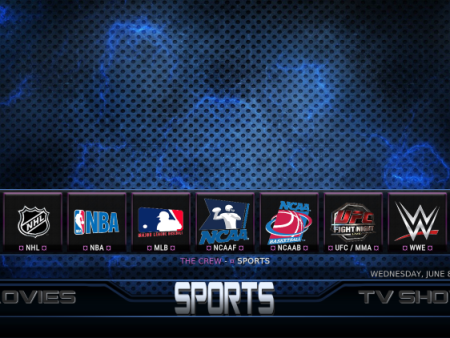
The Ultra Kodi Build can be found within the Misfit Mods Repository and offers a wide range of entertainment options. Users can access movies, TV series, live TV, sports, and more through this build. It is designed to provide an all-in-one streaming experience by incorporating various working addons and additional features.
If you are new to Kodi, a Kodi build is a comprehensive package that includes multiple addons and customization options for an enhanced streaming experience. The Ultra Kodi Build, although not available through the official repository, can be installed from a third-party provider.

To install the Ultra Kodi Build on your device, you will need to follow the tutorial provided below. If you do not have Kodi installed, you can also find a tutorial on how to install the latest stable release.
Installation of Ultra Kodi Build
- Make sure Kodi is already installed on your device.
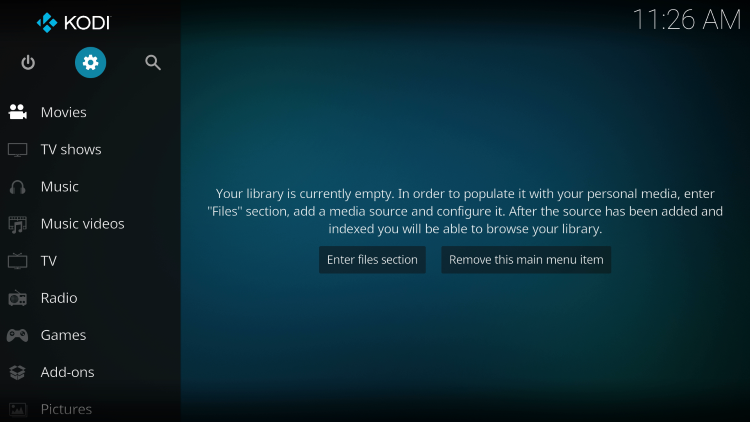
- Launch Kodi and click on the Settings icon.
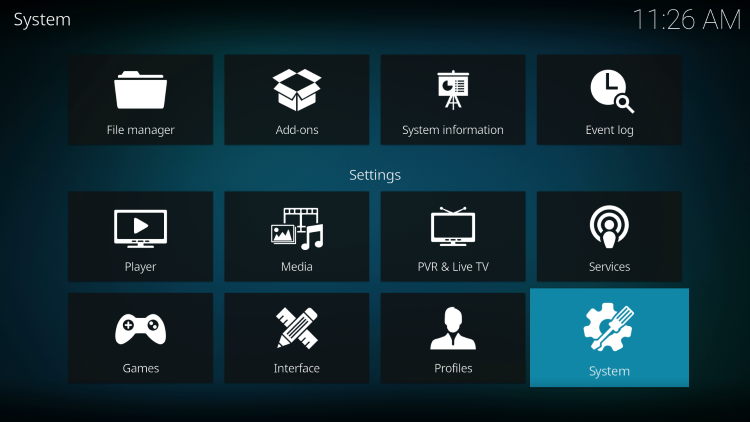
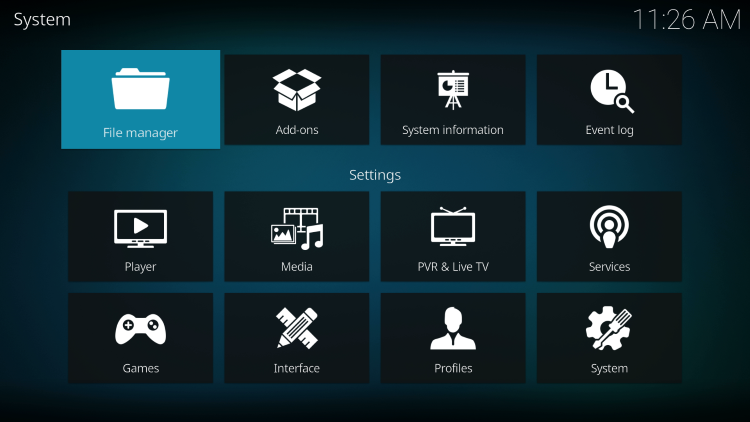
- In the Settings menu, click on “System”.
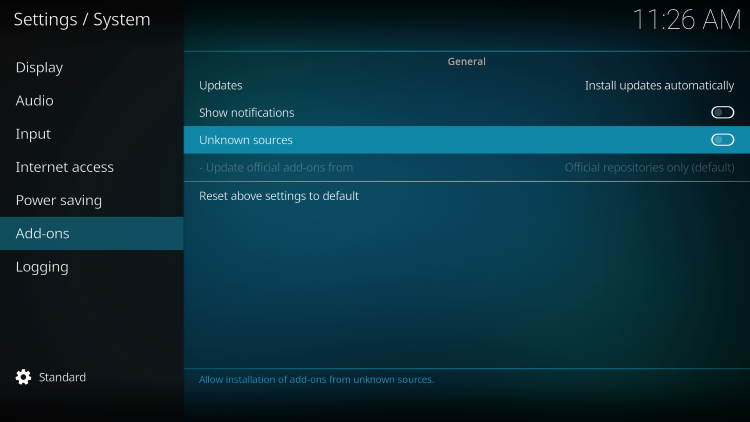
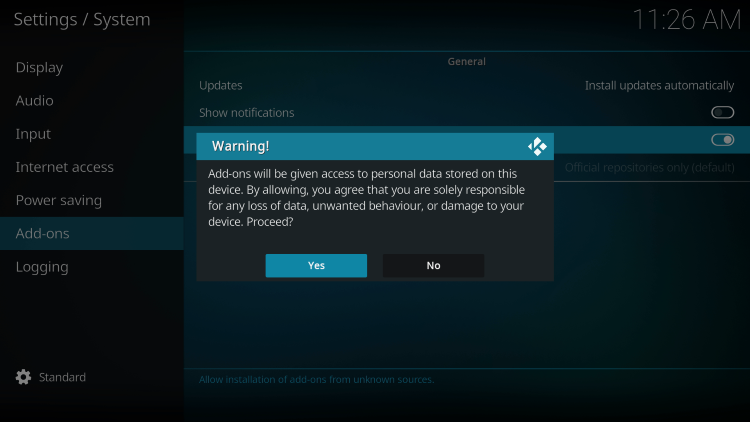
- Navigate to the Add-ons menu and enable “Unknown sources”. Read and acknowledge the warning message.
- Return to the previous screen and select “File manager”.
- Click on “Add source”.
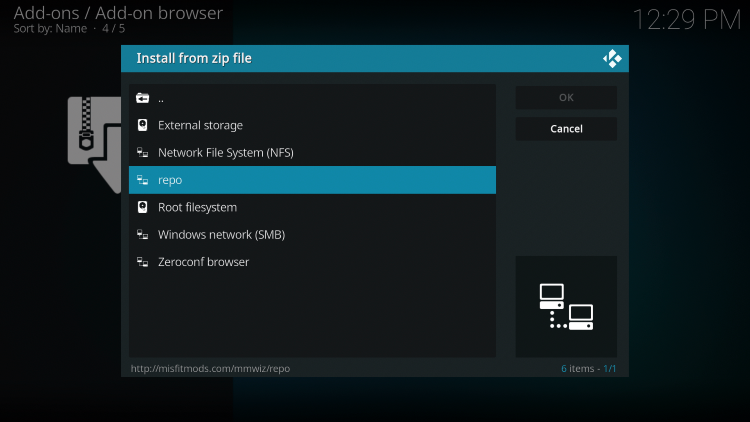
- Enter the URL “http://misfitmods.com/mmwiz/repo” and click “OK”.
- Provide a name for the media source and click “OK”.
- Go back to the main menu and select “Add-ons”.
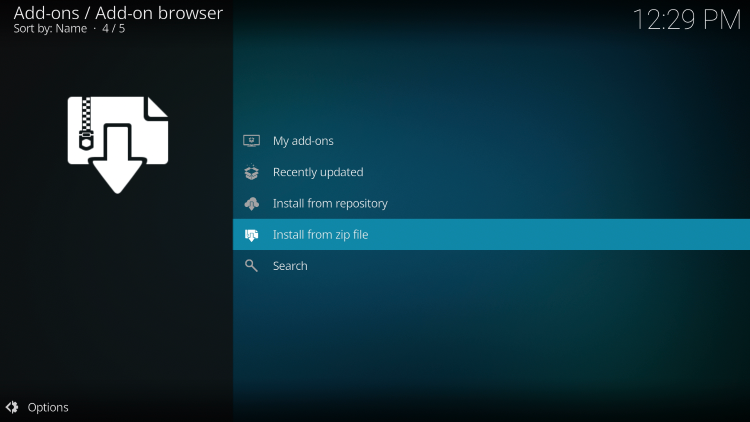
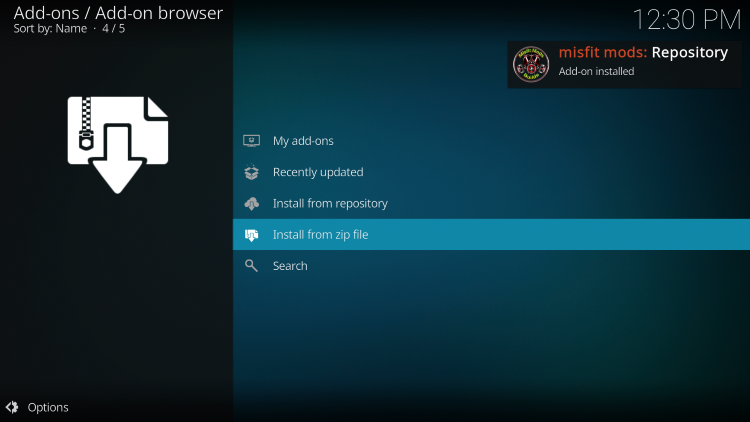
- Choose “Install from zip file”.
- Select the media source you added earlier.
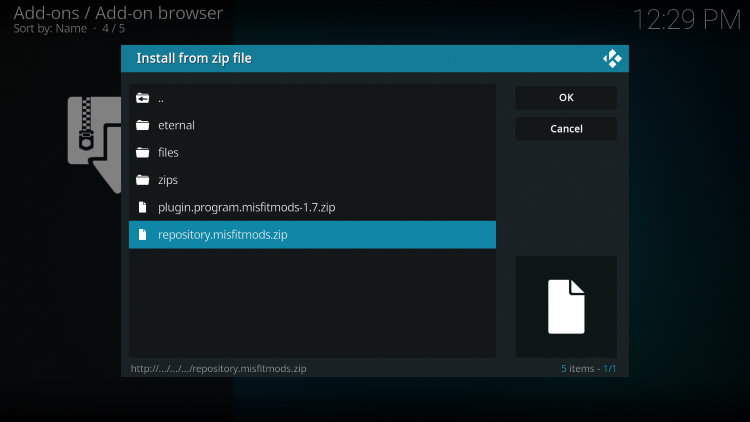
- Click on the zip file named “repository.misfitmods.zip”. Wait for the installation confirmation.
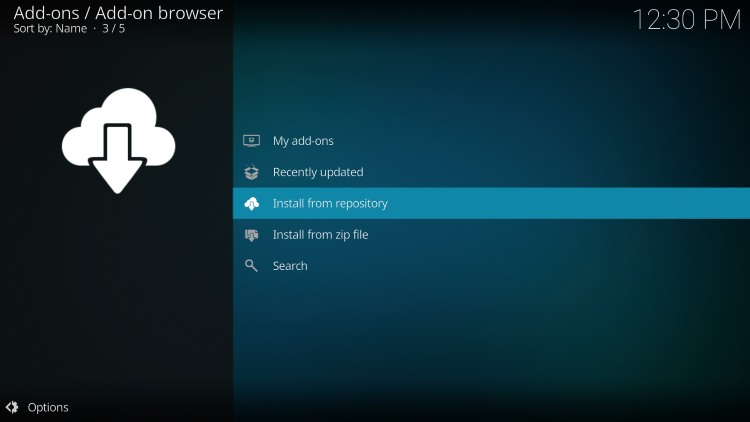
- Select “Install from repository”.
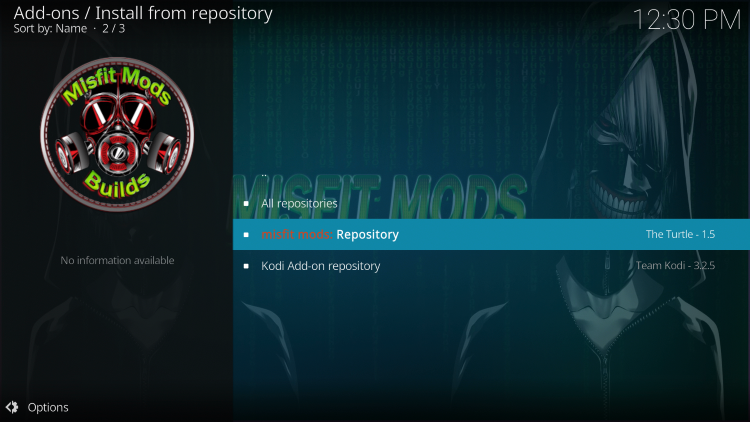
- Choose “Misfit Mods Repository”.
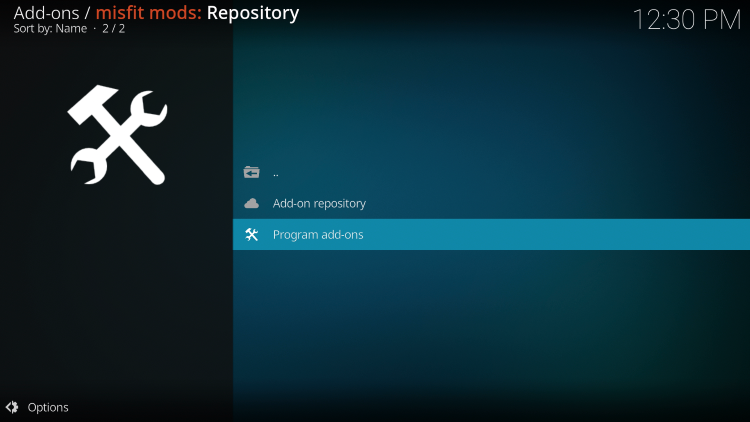
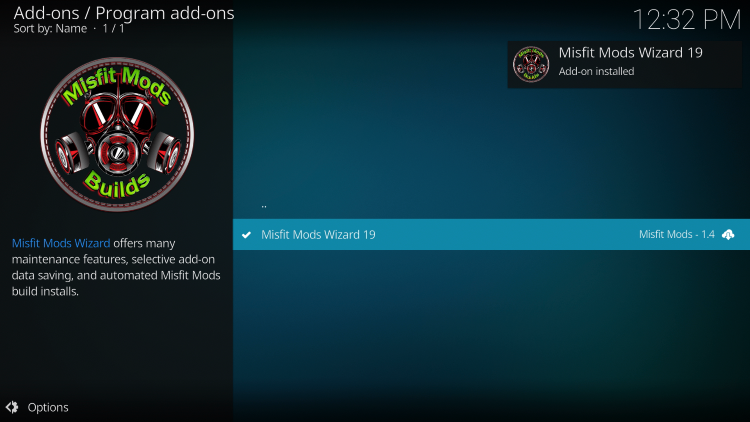
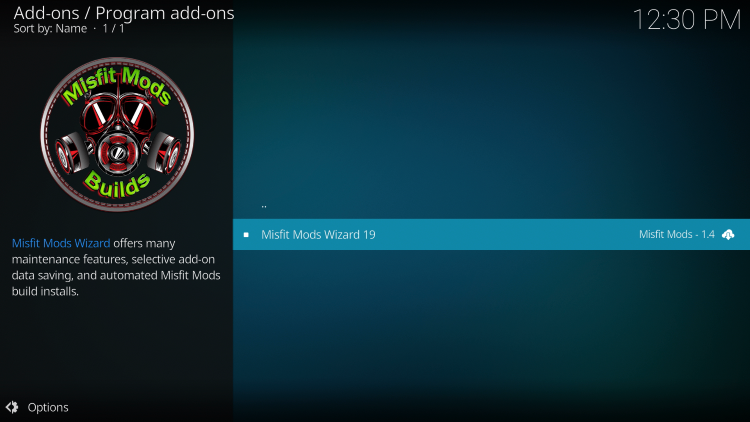
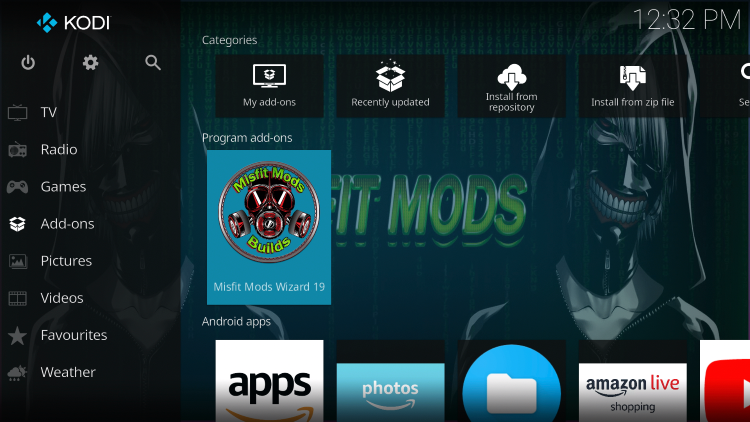
- Navigate to “Program add-ons” and select “Misfit Mods Wizard”.
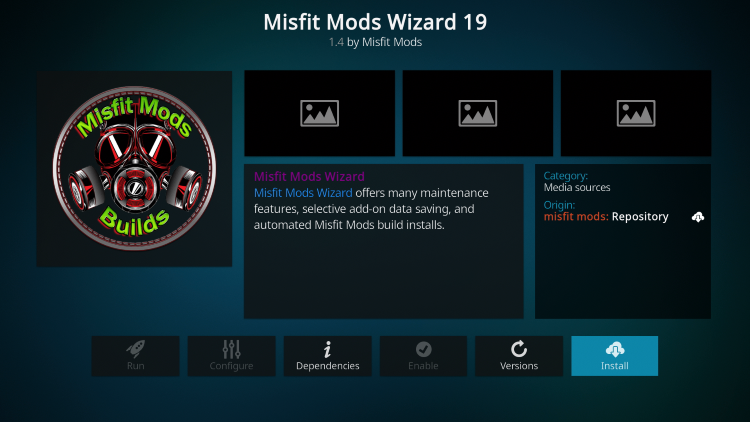
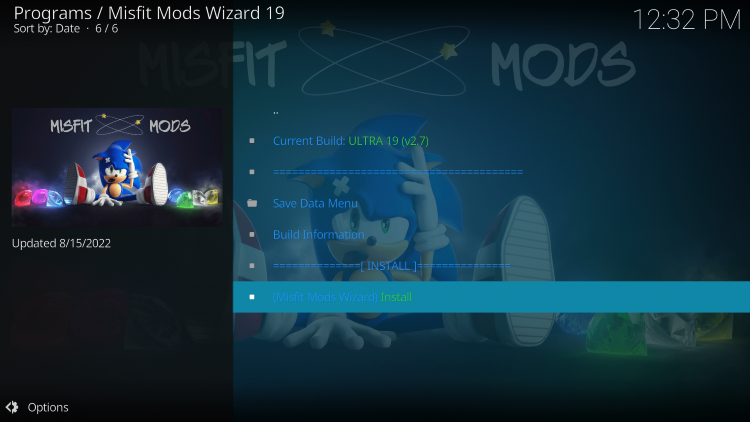
- Click on “Install” and wait for the installation to complete.
- Go back to the Kodi home screen and select “Add-ons”.
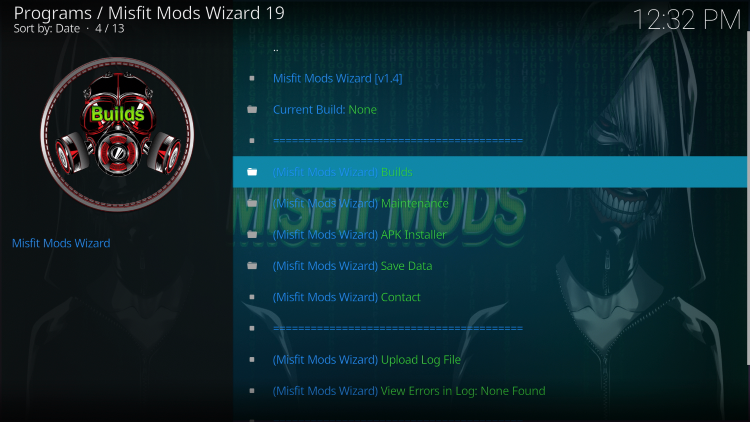
- Open “Misfit Mods Wizard” from the main menu.
- Select “Builds”.
- Choose the “Ultra Build”.
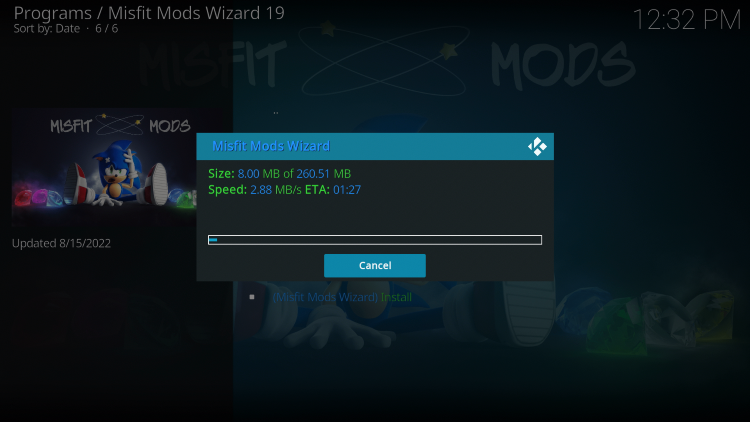
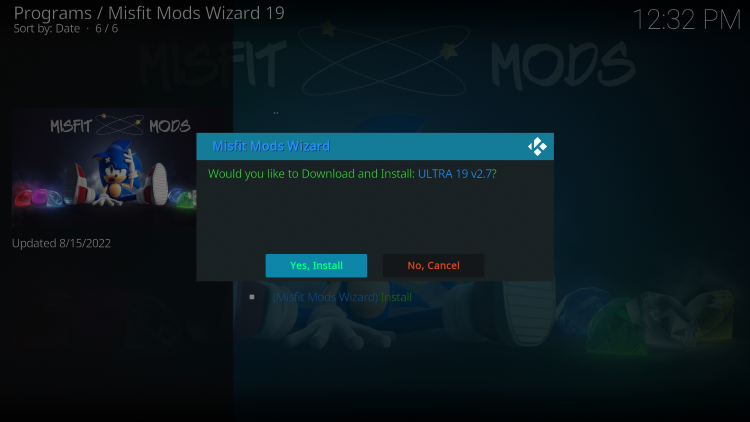
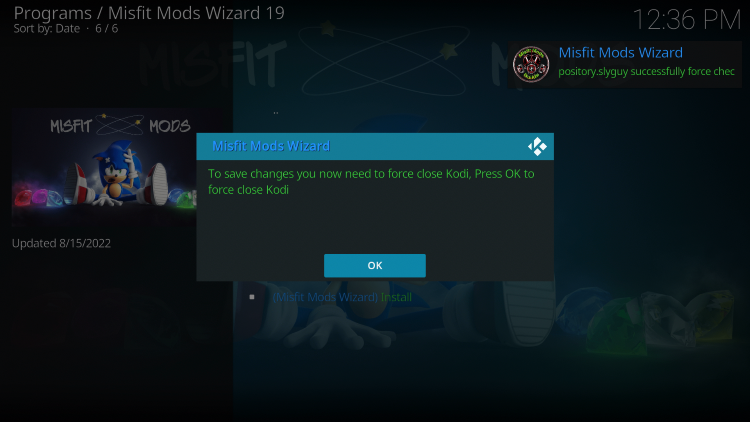
- Click “Install” and wait for the build to download and install.
- Once the installation is complete, click “OK”.
- Relaunch Kodi and enjoy the Ultra Kodi Build with its wide range of content and features.
Safety and Security Concerns
When using the Ultra Kodi Build or any unverified third-party build, it is essential to take steps to protect your privacy and security. As the Ultra Kodi Build is not part of the official Kodi repository, caution should be exercised.

One recommended precaution is to use a VPN (Virtual Private Network) while streaming content from unverified sources. A VPN can encrypt your connection and hide your IP address, providing anonymity and protection against tracking.
Choosing a VPN
There are various VPN services available, but it is important to choose a reliable and trustworthy one. Surfshark VPN is a popular option, offering advanced security features, a large server network, and user-friendly applications.
To use Surfshark VPN:
- Subscribe to Surfshark VPN and create an account.
- Download and install the Surfshark VPN app on your device.
- Launch the app and log in using your account credentials.
- Select a VPN server location.
- Click “Connect” to establish a secure VPN connection.
By using Surfshark VPN, your online activity will be encrypted and your IP address will be masked, providing enhanced privacy and security while streaming content through the Ultra Kodi Build.
Legality of Kodi Builds and Add-ons
It is important to note that determining the legality of unverified Kodi builds and add-ons can be challenging. As an end-user, you are responsible for the content you access through these builds.
IPTV Wire, the source of this article, does not own or operate any IPTV service or streaming application. They do not host or distribute applications, nor do they verify the licensing of IPTV services or app developers. Therefore, users should exercise caution and adhere to legal and copyright regulations when using unverified third-party builds like Ultra Kodi Build.
For a list of verified and legal IPTV providers, it is recommended to refer to trusted resources or consult official Kodi documentation. Kodi maintains its own list of verified add-ons on their official website, which can help users make informed decisions about the addons they choose to install.
Conclusion
In conclusion, the Ultra Kodi Build is a popular choice among cord-cutters looking for a comprehensive streaming solution. Although not available in Kodi’s official repository, it offers a wide range of content, including movies, TV shows, live TV, and sports. By following the installation guide and taking the necessary precautions to protect your privacy and security, you can enjoy a fulfilling streaming experience with the Ultra Kodi Build.
Please note that using unverified Kodi builds and addons can potentially violate copyright laws and regulations. It is always recommended to use legal and verified sources for streaming content to avoid any legal issues.
Frequently Asked Questions
What is the Ultra Kodi Build?
The Ultra Kodi Build is a free and comprehensive streaming package that offers a wide range of options for watching live channels, sports, movies, and other content.
What Content does the Ultra Kodi Build have?
The Ultra Kodi Build provides thousands of movies, TV series, live channels, and more.
What is a Kodi Build?
A Kodi build is an all-in-one platform that includes multiple working addons and additional features, providing users with a convenient streaming experience.
Is this Kodi Build Free?
Yes, the Ultra Kodi Build is completely free to use on any streaming device.
What devices can this Kodi Build be installed on?
The Ultra Kodi Build can be installed on any device running the Android operating system. This includes the Amazon Firestick, Fire TV, and various Android-powered devices.


Recent News