This review features the Nightwing Kodi Addon which is one of the most popular add-ons today for streaming movies and TV shows on any device. Introduction Nightwing Kodi Addon has gained significant popularity among users who enjoy streaming movies and TV shows on various devices.
Installing Nightwing Kodi Addon on Firestick/Android

Contents
This review features the Nightwing Kodi Addon which is one of the most popular add-ons today for streaming movies and TV shows on any device.
Introduction
Nightwing Kodi Addon has gained significant popularity among users who enjoy streaming movies and TV shows on various devices. In this detailed review, we will explore the features, installation process, safety concerns, and legal considerations surrounding Nightwing Kodi Addon.
Nightwing Kodi Addon Overview
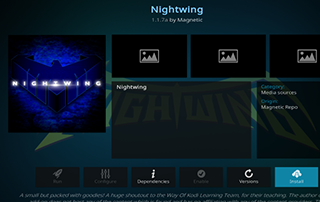
Nightwing is a VOD (Video on Demand) Kodi Addon that is housed in the Magnetic Repository. This addon allows users to access a wide range of movies and TV shows for streaming purposes. With its user-friendly interface and various categories to choose from, Nightwing provides a convenient experience for users seeking high-quality entertainment options.
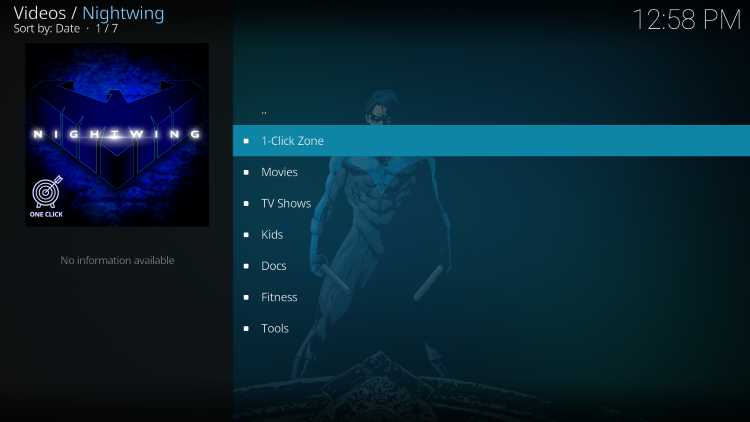
One notable feature of Nightwing is its compatibility with real-debrid accounts. By integrating a real-debrid account, users can enjoy the highest quality streaming link options available. However, it’s important to note that Nightwing does not offer live TV streaming unlike some other popular Kodi addons such as The Crew.
Since Nightwing is not available in the official Kodi repository, users must install it from a third-party provider. The tutorial provided below offers step-by-step instructions for the installation process.
Note:
If you don’t have Kodi installed on your device, you can install the latest stable release using the tutorial below.
Installing Nightwing Kodi Addon
- Ensure that Kodi is installed on your device.
- Launch Kodi and click on the Settings icon.
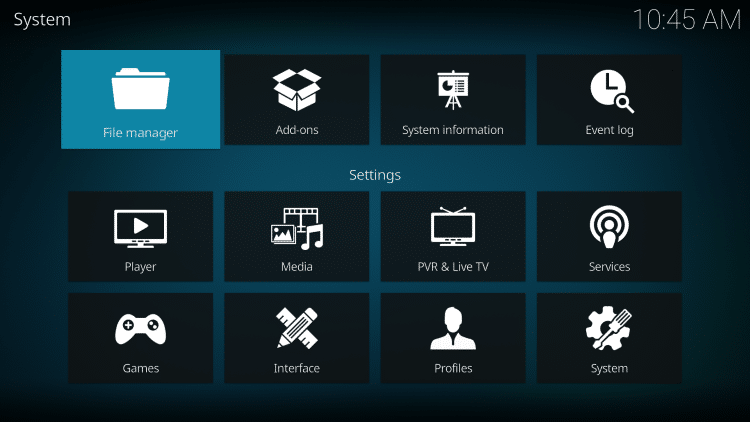
- Select the System option.
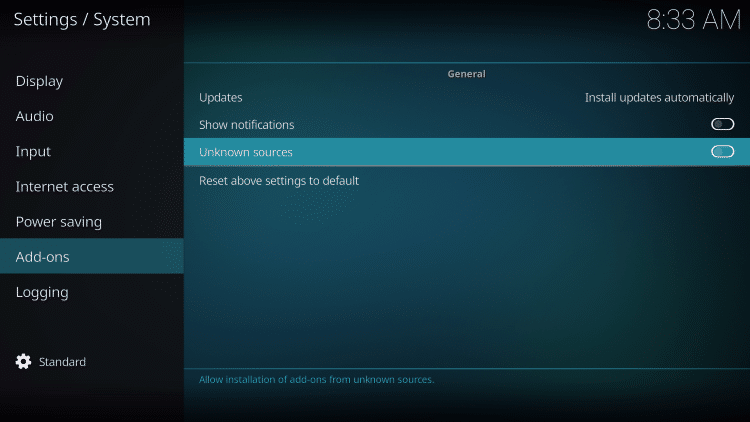
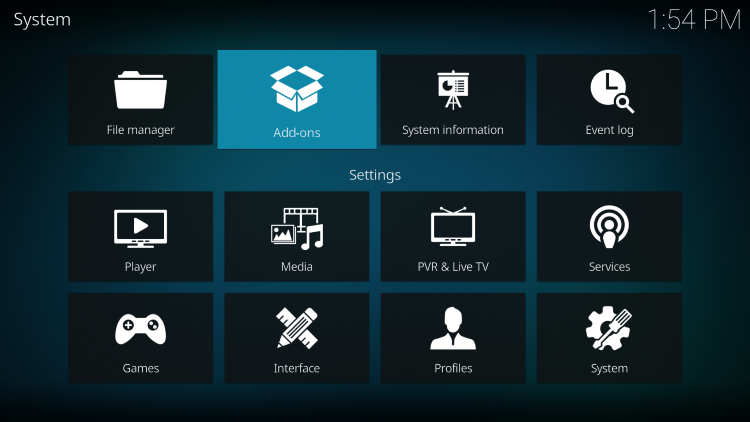
- Hover over the Add-ons menu and turn on the Unknown sources option.
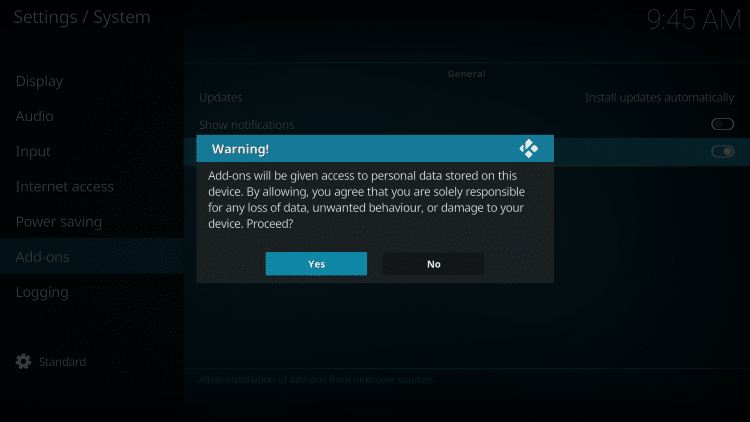
- Read the warning message and click Yes to proceed.
- Go back to the previous screen and select File manager.
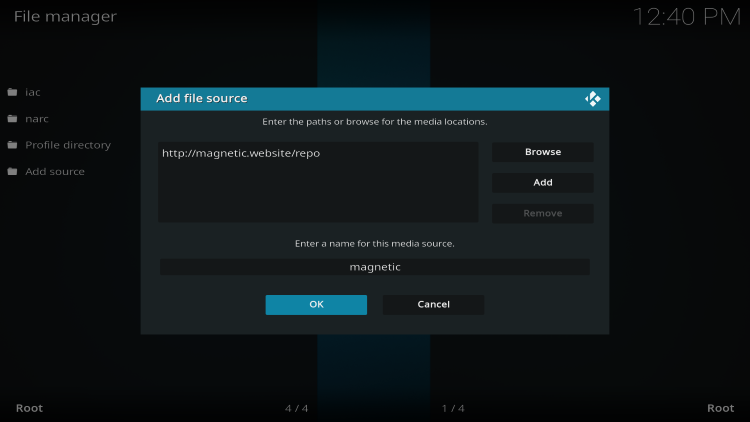
- Click on Add source.
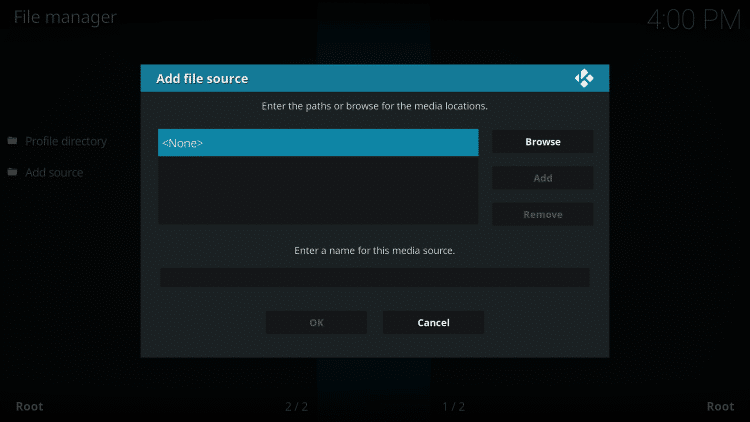
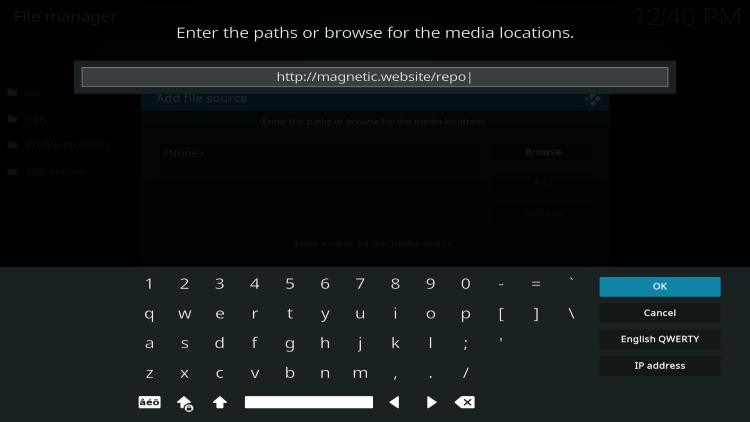
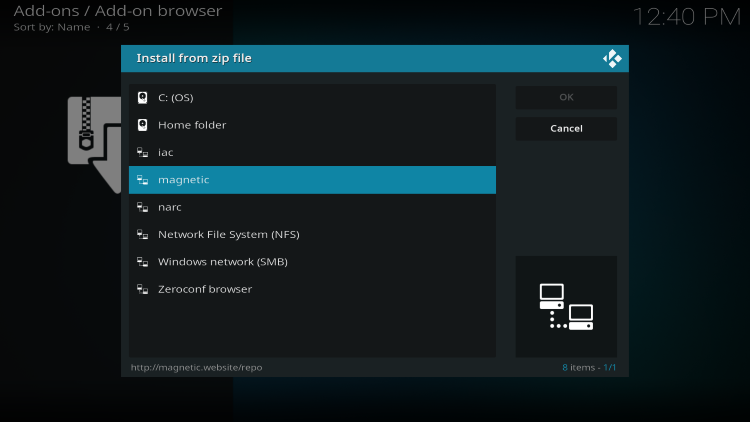
- Enter the URL http://magnetic.website/repo and click OK.
- Name the media source as desired and click OK.
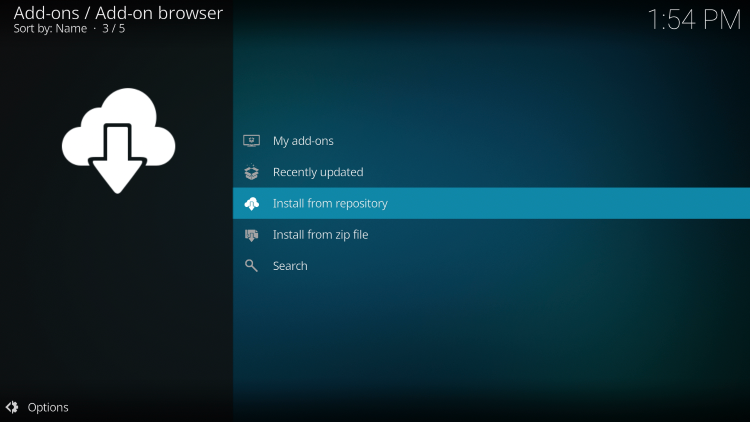
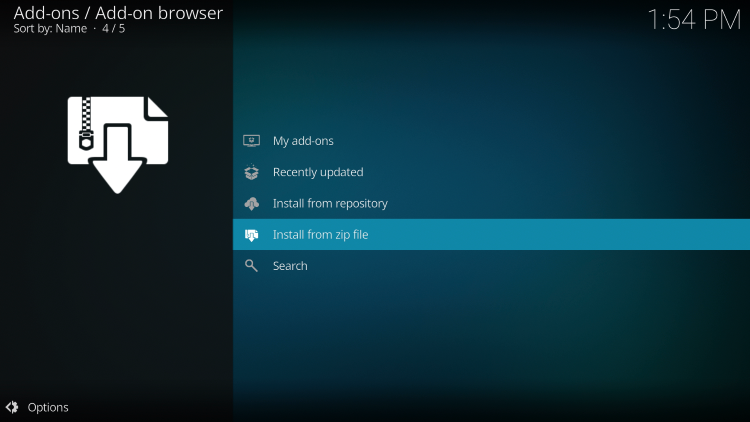
- Return to the Add-ons menu and select Install from zip file.
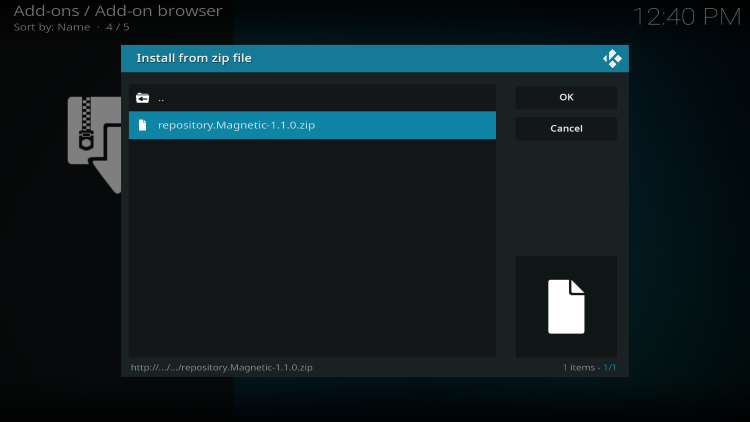
- Locate and select the media source you added.
- Click on the zip file URL repository.Magnetic.zip.
- Wait for the Magnetic Repo Add-on installed message to appear.
- Proceed to Install from repository.
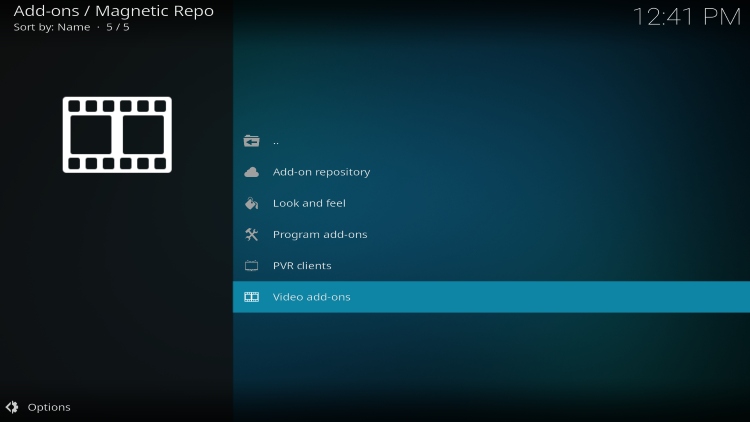
- Choose Magnetic Repo.
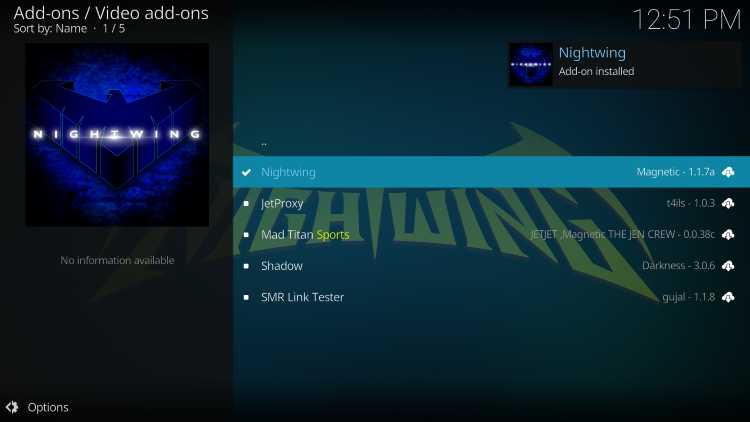
- Select Video add-ons.
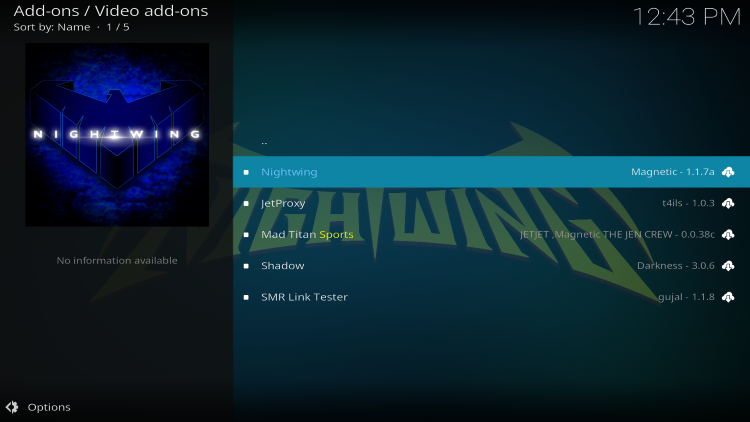
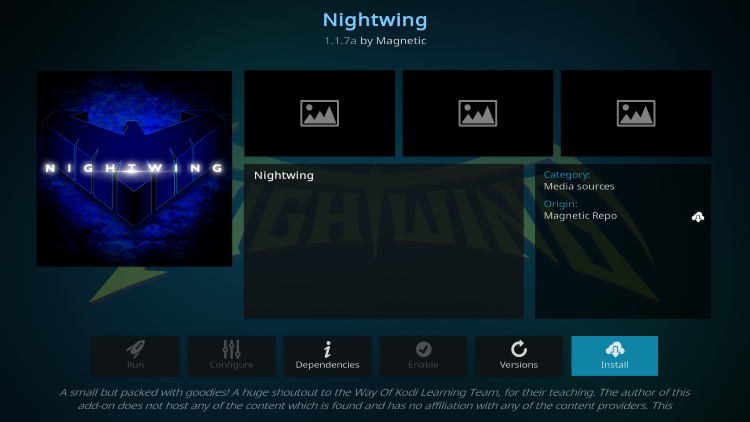
- Click on Nightwing.
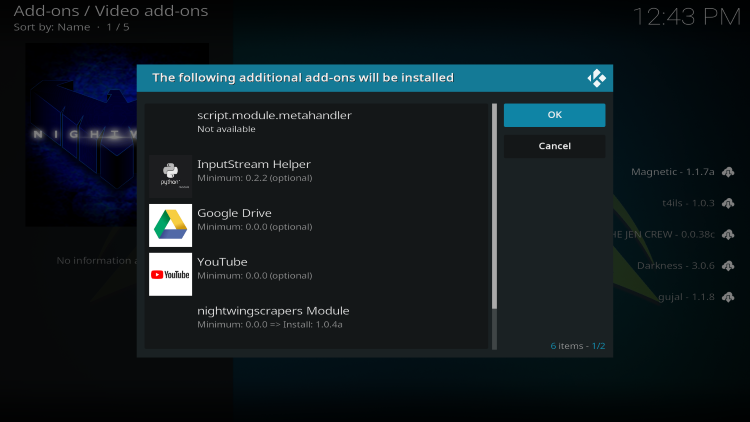
- Finally, click Install and wait for the Nightwing Kodi Addon installed message to appear.
Once the installation process is complete, you can enjoy using Nightwing Kodi Addon to stream your favorite movies and TV shows on your device.
Safety and Legality of Nightwing Kodi Addon
One common concern when using addons like Nightwing is their safety and legality. Since Nightwing is not available in the official Kodi repository, users may wonder if it is safe to use and legal.
Regarding safety, it is important to note that VirusTotal, a reliable online antivirus scanning tool, did not find any suspicious files or malware within the Nightwing repository URL. However, this does not mean that users should neglect protecting themselves when streaming content from unverified third-party addons.
 icon to open the search box.”>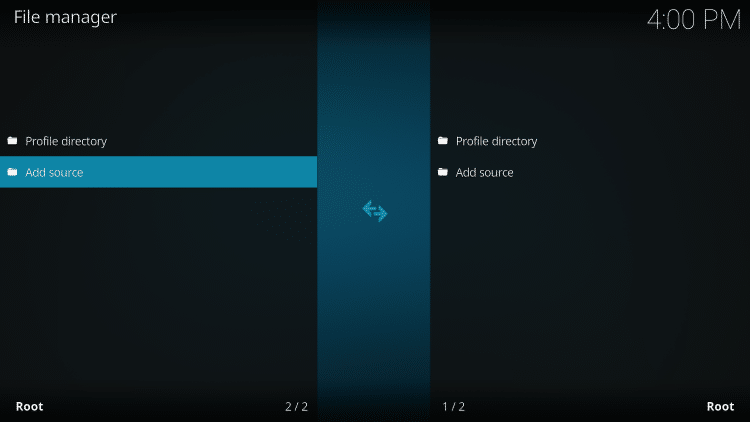
It is recommended to use a VPN (Virtual Private Network) to ensure privacy and security when using addons like Nightwing. A VPN encrypts your connection to the internet and masks your IP address and location, making your online activities anonymous and protecting your personal data.
As for the legality of Nightwing Kodi Addon, it is challenging for IPTV Wire, the source of this review, to determine whether unverified Kodi addons like Nightwing hold the proper licensing. IPTV Wire does not own or operate any IPTV service or streaming application, nor do they host or distribute any applications or verify licensing for IPTV services or app developers. The ultimate responsibility for accessing media through any device, app, addon, or service mentioned in this review lies with the end-user.

For users seeking 100% legal IPTV service options, IPTV Wire recommends Vidgo. However, it is always advisable to research and choose IPTV services that comply with legal requirements in your jurisdiction.

Conclusion
Overall, Nightwing Kodi Addon is a popular choice among Kodi users looking to stream movies and TV shows on a variety of devices. With its extensive collection of VOD content and user-friendly interface, Nightwing offers a convenient and enjoyable streaming experience.
Nightwing Kodi Addon FAQ
What is Nightwing Kodi Addon?
Nightwing is a free Kodi addon that provides access to movies, TV shows, and other VOD content for streaming.
Does Nightwing Kodi Addon have Movies?
Yes, Nightwing features a wide selection of movies and TV shows that users can stream.
Is this Kodi add-on free?
Yes, Nightwing Kodi Addon is completely free to use on any compatible streaming device.
What devices can this Kodi add-on be installed on?
Nightwing Kodi Addon is available for installation on any device that runs the Android operating system. This includes devices such as Amazon Firestick, Fire TV, and various Android devices.



Recent News