IntroductionThis comprehensive guide will walk you through the process of installing and using the Smart IPTV APK on various devices, including Firestick/Fire TV and Android. Smart IPTV APK is a highly recommended IPTV player that offers a range of features to enhance your streaming experience. Many
Installing Smart IPTV APK on Firestick and Android Devices: A Comprehensive Guide (2023)

Contents
- 1 Introduction This comprehensive guide will walk you through the process of installing and using the Smart IPTV APK on various devices, including Firestick/Fire TV and Android. Smart IPTV APK is a highly recommended IPTV player that offers a range of features to enhance your streaming experience. Many users choose to pair Smart IPTV with their IPTV services, M3U playlists, or Xtreme Codes for seamless streaming. With Smart IPTV APK, you can easily enjoy your favorite IPTV service hassle-free. Using Smart IPTV APK
- 2 Installation on Firestick/Fire TV
- 3 Legal Disclaimer
- 4 Installation on Android Devices
- 5 Setting up Smart IPTV
- 6 Information & Features
- 7 Frequently Asked Questions
Introduction
This comprehensive guide will walk you through the process of installing and using the Smart IPTV APK on various devices, including Firestick/Fire TV and Android. Smart IPTV APK is a highly recommended IPTV player that offers a range of features to enhance your streaming experience. Many users choose to pair Smart IPTV with their IPTV services, M3U playlists, or Xtreme Codes for seamless streaming.
With Smart IPTV APK, you can easily enjoy your favorite IPTV service hassle-free.
Using Smart IPTV APK
Smart IPTV APK is a paid service that currently costs around $6.00 for a lifetime subscription. It is a popular choice among users due to its compatibility with various IPTV services. Since most IPTV services provide login information through M3U URLs, Smart IPTV APK serves as an excellent option for playback.
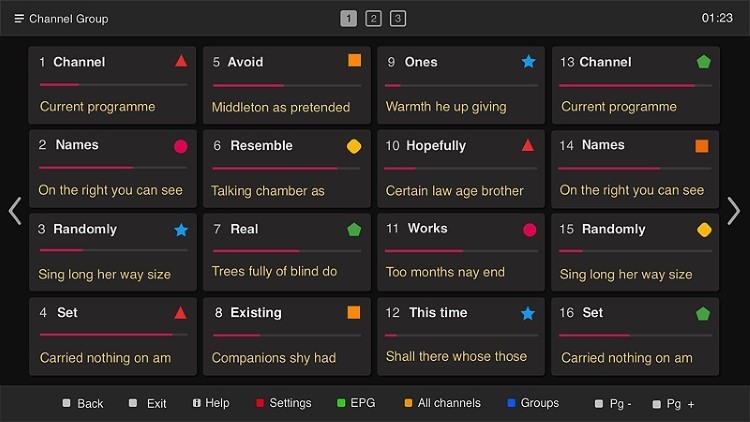
If you have a preferred IPTV service with an M3U URL, you can sign up for Smart IPTV on their official website, siptv.app/activation. During the registration process, users are required to input their device’s MAC address, which serves as an identifying address for the device. It is important to note that a MAC address is similar to an IP address and can potentially expose your location. For those seeking enhanced anonymity, it is recommended to consider using alternative IPTV players such as IPTV Smarters Pro or TiviMate.
Other well-known IPTV Players include XCIPTV APK, Perfect Player, iMPlayer, IPTV Extreme, Lenox, and more.
For added security, it is strongly advised to use a reliable VPN when pairing with unverified providers. Using a VPN ensures that your online activity remains private and secure. Feel free to check out our recommended VPN for IPTV services to learn more about how it can protect your data and privacy.
Installation on Firestick/Fire TV
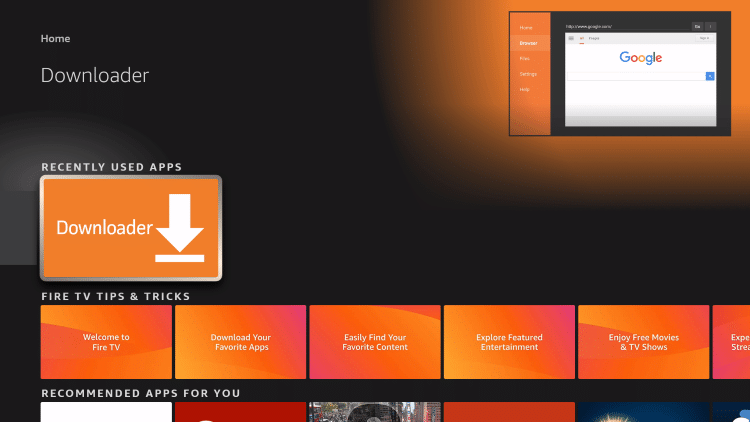
Smart IPTV APK is not available in the Amazon App Store; however, you can sideload it onto your Firestick or Fire TV using the Downloader app.
The following steps will guide you through the installation process:
- Step 1: Install the Downloader app from your App Store (Amazon or Google Play) and enable “Apps from Unknown Sources” in your device settings. If you haven’t done this yet, you can refer to our tutorial on “How to Install Downloader App” for a step-by-step guide.
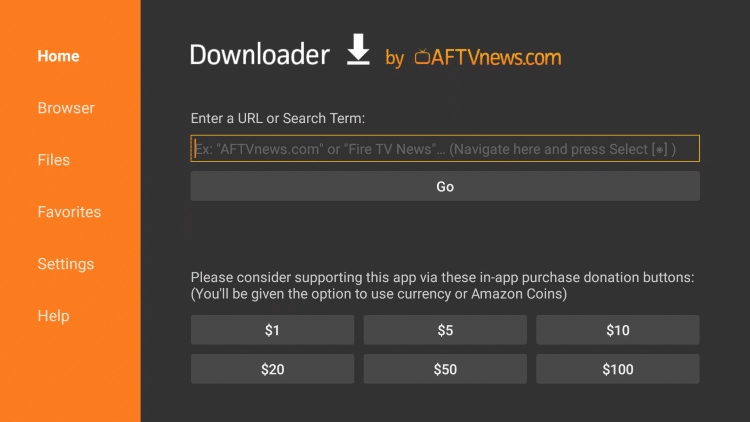
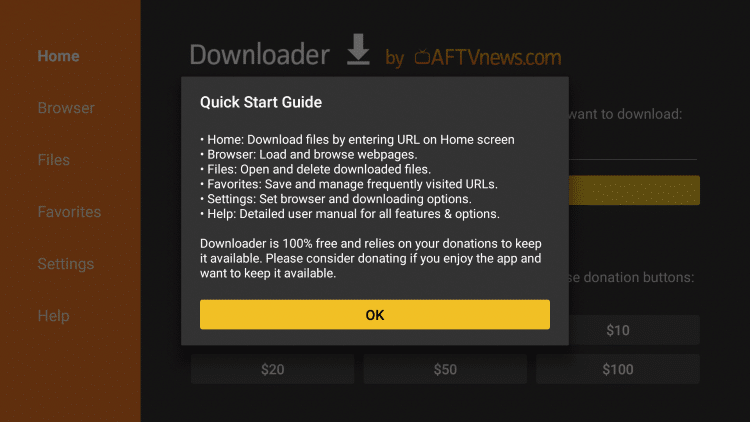
- Step 2: Launch the Downloader app.
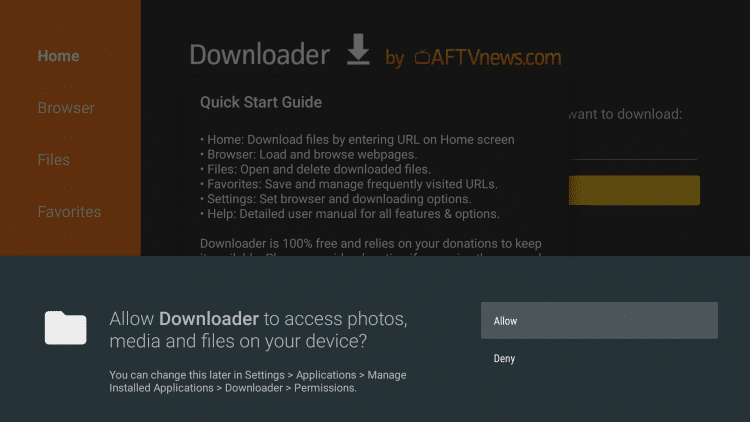
- Step 3: Click “Allow” when prompted.
- Step 4: Click on the URL box.
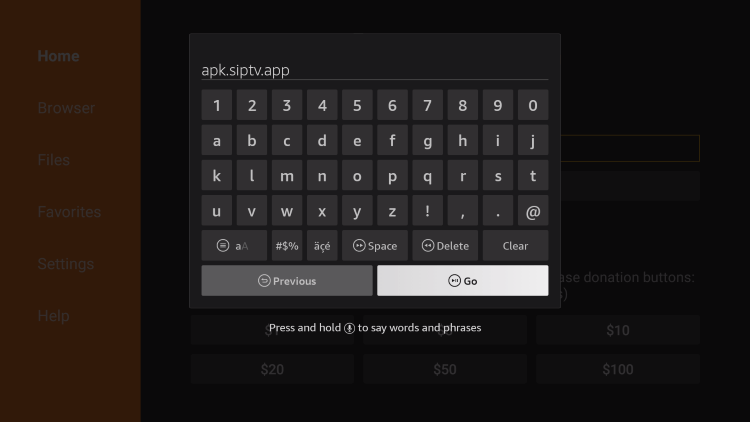
- Step 5: Enter the following URL: apk.siptv.app and click “Go”.
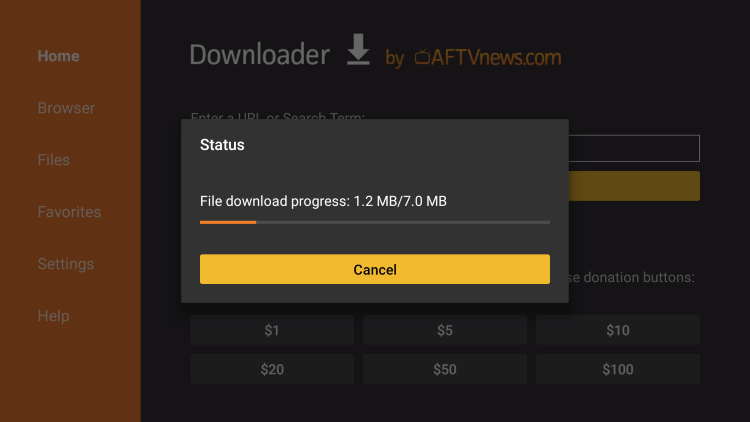
- Step 6: Wait for the app to download.
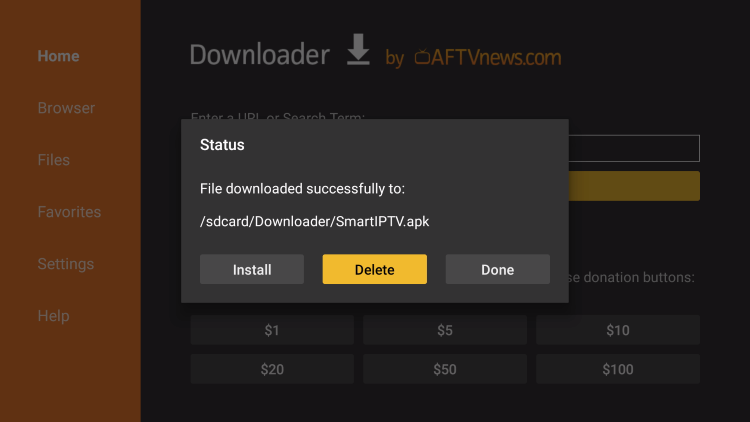
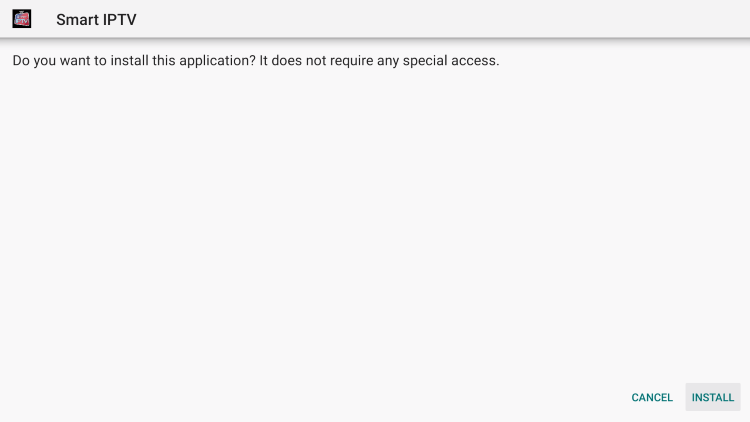
- Step 7: Click “Install”.
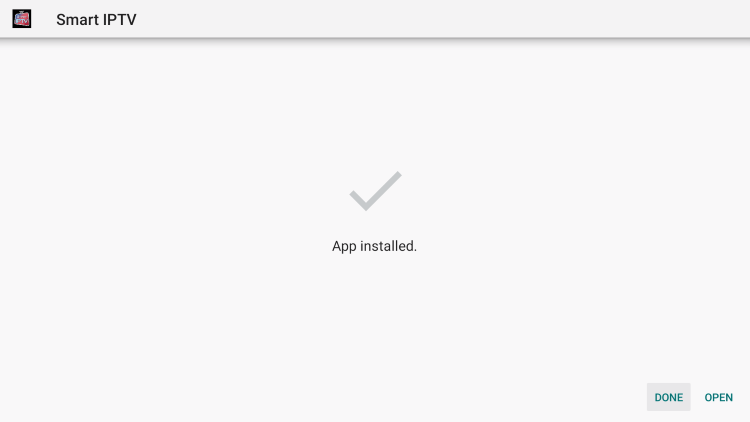
- Step 8: Click “Done”.
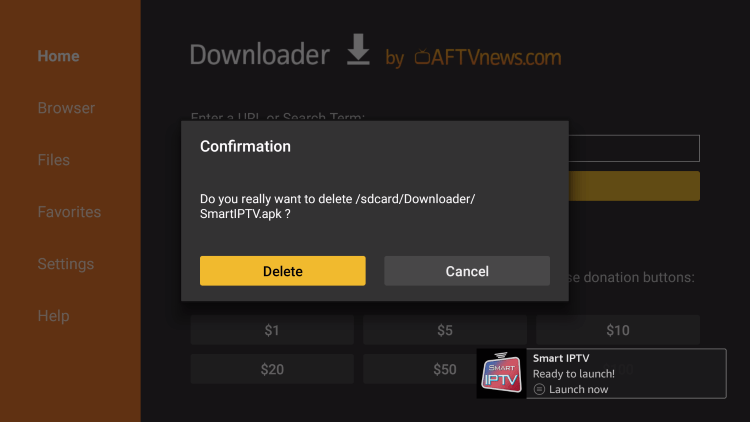
- Step 9: Click “Delete”.
- Step 10: Click “Delete” again.
- Step 11: Congratulations! Smart IPTV APK has been successfully installed on your Firestick or Fire TV device.
These steps can be followed for all models of the Amazon Firestick, Fire TVs, and Fire TV Cube.
Legal Disclaimer
It is important to note that IPTV WIRE, the provider of this guide, does not own or operate any IPTV service or streaming application. We do not host or distribute any applications, nor do we verify the licensing of IPTV services or app developers. The end-user bears sole responsibility for the media accessed through any device, app, addon, or service mentioned on our website.
For those seeking a 100% legal IPTV service, IPTV WIRE recommends Vidgo.
Installation on Android Devices
If you are using an Android device such as NVIDIA Shield, Chromecast, Tivo Stream 4K, Android TV Boxes, phones, or tablets, you can easily download and install the Smart IPTV APK from the Google Play Store.
Simply follow these instructions:
- Step 1: Go to the Google Play Store on your Android device.
- Step 2: Search for “Smart IPTV APK”.
- Step 3: Click on the Smart IPTV APK app icon.
- Step 4: Click “Install” to begin the installation process.
Once the installation is complete, you can proceed with the setup process to start enjoying your IPTV service using the Smart IPTV APK.
Setting up Smart IPTV
Setting up Smart IPTV is a straightforward process. Follow the steps below:
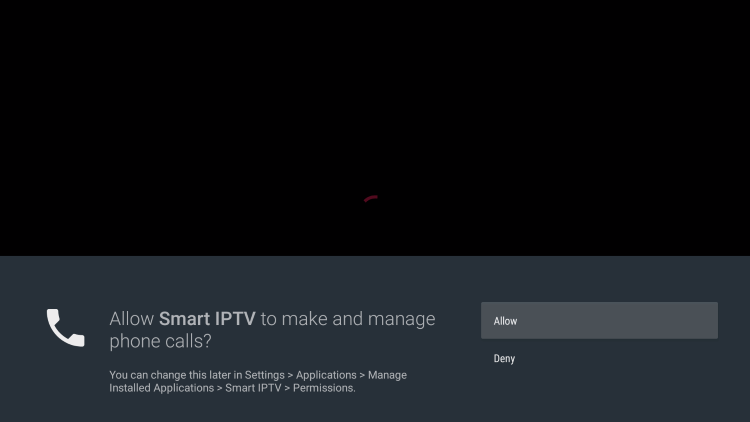
- Step 1: When launching Smart IPTV for the first time, click “Allow” when prompted.
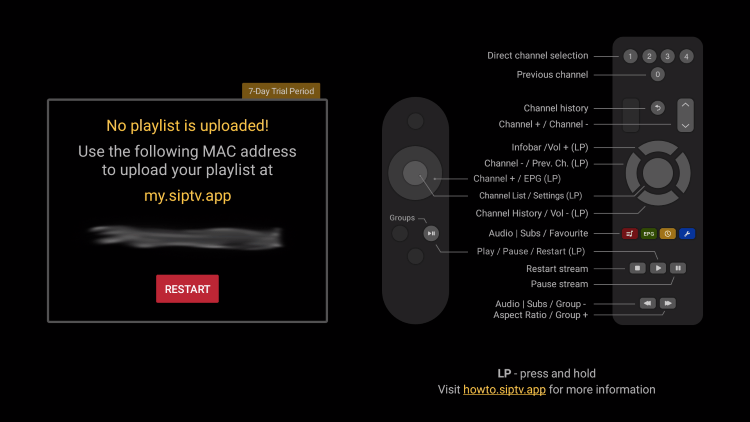
- Step 2: A screen will appear with instructions.
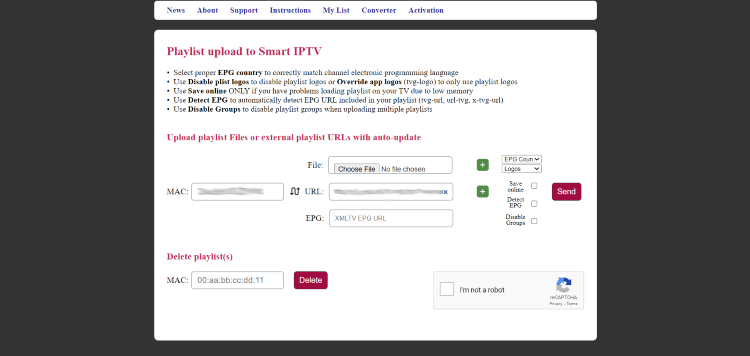
- Step 3: Open any browser and visit my.siptv.app.
- Step 4: Enter your M3U URL or any other playlist link provided by your IPTV service.
- Step 5: Enter your device’s MAC address as shown in the instructions.
- Step 6: Click “Send” to complete the setup.
- Step 7: Return to the Smart IPTV app and click “Restart”.
- Step 8: Your playlist will now be uploaded and ready to use.
And that’s it! You have successfully set up Smart IPTV APK on your device and can now start enjoying your favorite IPTV service.
Information & Features
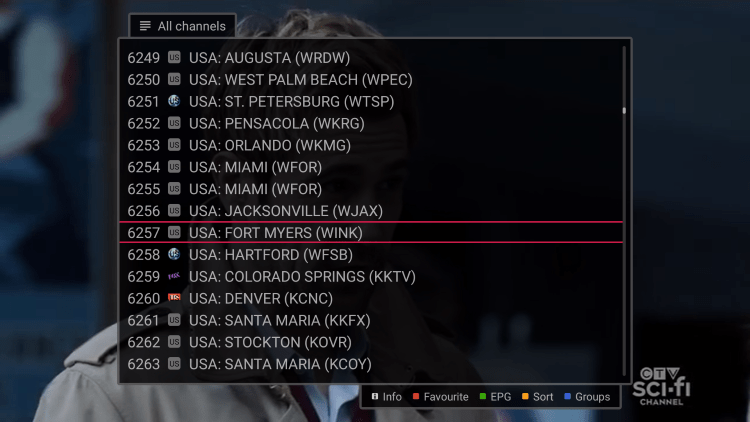
Smart IPTV is a well-known IPTV player that works seamlessly with almost all IPTV services supporting M3U URLs or playlists. It offers a wide range of features to enhance your IPTV streaming experience.
One of the standout features of Smart IPTV is its ability to integrate multiple playlists, allowing you to easily access all your favorite services in one convenient location.
If you use an IPTV service on a Firestick/Fire TV or Android device, Smart IPTV APK is definitely a great tool to enhance your streaming experience.
For more detailed information and a visual guide to the Smart IPTV player, you can refer to the video provided within the article.
Frequently Asked Questions
What is Smart IPTV?
Smart IPTV APK is a highly popular IPTV player that can be paired with any IPTV service to enhance your streaming experience. It offers a range of features and compatibility with various IPTV services.
Is Smart IPTV Legal?
Yes, Smart IPTV APK is 100% legal to install and use. You can find it in the Amazon App Store or Google Play Store, ensuring its legitimacy.
Is Smart IPTV Safe?
Absolutely! Smart IPTV APK is safe to install and use. It has undergone rigorous testing and is available from reputable sources like the Amazon App Store and Google Play Store. Feel free to install it without any worries about safety or security.
What Devices can Smart IPTV be Installed on?
Smart IPTV can be installed on any device running the Android operating system. This includes Amazon Firestick, Fire TV, Android TV boxes, NVIDIA Shield, Chromecast, Tivo Stream 4K, phones, tablets, and more. The versatility of Smart IPTV ensures you can enjoy your IPTV service on your preferred device.
This article provided a step-by-step guide to installing and using Smart IPTV APK on various devices. It covered important information such as the cost of the service, alternative IPTV players, installation on Firestick/Fire TV and Android devices, legal considerations, setting up Smart IPTV, and additional features. By following the instructions outlined in this article, you can seamlessly integrate Smart IPTV into your streaming routine.


Recent News