IntroductionTVTap Pro APK is a popular live TV app that allows users to access a wide range of channels and VOD options on their Firestick/Fire TV devices. In this comprehensive guide, we will walk you through the installation process for TVTap Pro APK and provide a detailed review of its features,
Installing TVTap Pro APK on Firestick: A Comprehensive Guide to Accessing Free Live TV (2023)

Contents
Introduction

TVTap Pro APK is a popular live TV app that allows users to access a wide range of channels and VOD options on their Firestick/Fire TV devices. In this comprehensive guide, we will walk you through the installation process for TVTap Pro APK and provide a detailed review of its features, including channels, favorites, and more.
TVTap Pro Overview

TVTap Pro is a free live TV app that offers hundreds of channels and VOD options, primarily in SD quality. These channels are organized into various categories such as news, sports, shows, movies, international, music, science, and more.
Popularity among Cord-Cutters
TVTap Pro has gained popularity among cord-cutters who choose to jailbreak their Firesticks to access third-party apps like TVTap Pro. This IPTV app is compatible with various Android-powered devices, including Amazon Firestick, Fire TV, Fire TV Cube, NVIDIA Shield, and more.
Understanding IPTV
For those unfamiliar with IPTV services, IPTV stands for “Internet protocol television.” It refers to the delivery of live television through the internet instead of traditional cable or satellite methods. TVTap Pro is one of the best available IPTV apps, offering a popular alternative to traditional cable packages.
Importance of Using a VPN
It is important to note that when using any unverified IPTV app or service, it is strongly recommended to use a VPN (Virtual Private Network) to protect your online privacy and security. A VPN encrypts your internet connection and hides your IP address, keeping your online activities private and secure from prying eyes.

TVTap Pro Limitations
Since TVTap Pro is a free app, it does have certain limitations. Users may experience buffering issues, and the available channel selection might be limited compared to paid services. If you require a wider range of channels and VOD options, you may want to explore our updated list of recommended IPTV services.


Installation Guide for TVTap Pro APK on Firestick

To install TVTap Pro APK on your Firestick device, follow these step-by-step instructions:

1. Launch the Downloader app.
Open the Downloader app on your Firestick/Fire TV device.
2. Click Browser on the left menu.
Navigate to the Browser option in the left menu of the Downloader app.
3. Enter the URL.
Type in the URL “tvtap.bz” and click Go. If the official website is offline, you can try UptoDown for TVTap Pro.
4. Click Download Now.
Scroll down and click on the “Download Now” button.
5. Select Download for Firestick/Android Boxes.
Scroll down and click on the “Download for Firestick/Android Boxes” button.
6. Wait for the download to complete.
The app will start downloading. Wait for the download to finish.
7. Click Install.
Once the download is complete, click on the “Install” button to install TVTap Pro APK.
8. Click Done.
After the installation is complete, click on the “Done” button.
9. Click Delete.
You will be prompted to delete the APK file. Click on the “Delete” button.
10. Click Delete again.
Confirm the deletion by clicking on the “Delete” button again.
11. Installation Complete.
Congratulations! You have successfully installed TVTap Pro APK on your Firestick device.
Note: Before using any IPTV service, it is advisable to connect to a VPN to protect your online activities.
Adding Channels to Favorites
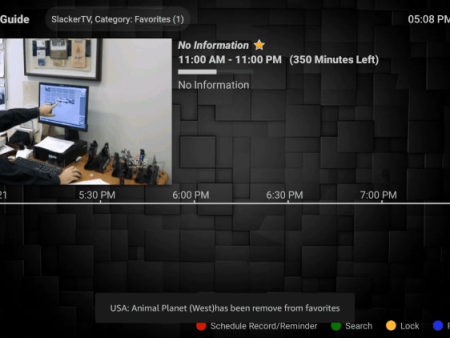
One of the standout features of TVTap Pro APK is the ability to add channels to your Favorites list. This makes it easier to access your preferred channels quickly. Here’s how you can add channels to your Favorites list:


1. Select a channel.
Choose a channel from the TVTap Pro channel list.

2. Add to Favorites.
While watching the selected channel, press the OK button on your remote control. A menu will appear, allowing you to add the channel to your Favorites.

3. Access your Favorites.
Return to the TVTap Pro home screen and click on the menu icon located in the upper left corner. From the menu, select “Favorites.”

4. Manage your Favorites.
In the Favorites section, you will find the channels you have added. To remove a channel from your Favorites, select it and choose the “Remove Fav” option.


Adding External Video Players
TVTap Pro also offers the option to integrate external video players for a customized viewing experience. Here’s how you can add an external video player to TVTap Pro APK:


1. Access the settings.
From the TVTap Pro home screen, click on the menu icon in the upper left corner.
2. Navigate to Settings.
Scroll down the menu and select “Settings” to access the TVTap Pro settings.
3. Choose Select Player.
Within the Settings menu, click on “Select Player” to choose your preferred external video player.
4. Select your video player.
From the list of available video players, choose the one you want to integrate with TVTap Pro. In this example, we will use MX Player.

5. Integration complete.

Congratulations! You have successfully integrated an external video player with TVTap Pro APK.
Legal Status of TVTap Pro

It is important to note that IPTV Wire does not own or operate TVTap Pro or any other IPTV service or streaming application mentioned in this guide. The legality of such services and apps can vary by jurisdiction. IPTV Wire does not verify whether IPTV services or app developers have the proper licensing for their content. The end-user is solely responsible for the media accessed through any device, app, addon, or service mentioned on our website.


Best Legal IPTV Alternatives
To ensure a 100% legal IPTV experience, IPTV Wire recommends exploring verified and legal IPTV providers instead of relying on TVTap Pro. Here are our recommendations for legal IPTV services:
- #1 Ranked Legal IPTV Service – Vidgo: Vidgo offers a wide range of legal and verified IPTV channels. (link to Vidgo)
- Best Legal IPTV Providers: Check out our list of the best legal IPTV providers for more options. (link to best legal IPTV providers)


TVTap Pro FAQ
What is TVTap Pro?
TVTap Pro is a free IPTV app that provides users with access to hundreds of live channels and VOD options.

What Channels Does TVTap Pro Have?
TVTap Pro offers a wide range of channels in various categories, including news, entertainment, sports, international, and more.

Is this IPTV App Free?
Yes, TVTap Pro is a completely free IPTV app that can be used on streaming devices.
What Devices can this IPTV App be Installed on?
TVTap Pro can be installed on any device running the Android operating system. This includes Amazon Firestick, Fire TV, Android TV Boxes, Chromecast, Android phones, tablets, and more.
In conclusion, TVTap Pro APK is a popular choice among cord-cutters for accessing a wide range of live channels and VOD options. Through this detailed guide, we have provided step-by-step instructions for installing the app, along with explanations of its features like adding channels to Favorites and integrating external video players. It is important to consider legal alternatives and use a VPN for a secure and private IPTV experience.


Recent News